Tuesday, November 17, 2026
Watch Live
UPDATED
FUEL PRICE
17-NOV-2026
PETROL
▼ -2.00 PKR
Rs. 328.00/ltr
DIESEL
▼ -2.00 PKR
Rs. 358.00/ltr
Headlines
Petrol, diesel prices cut by Rs2 per litre Ricotta dumplings with sage butter bring comfort food to busy weeknights Ukraine's biggest drone attack sends shockwaves across 16 Russian regions Lebanese singer Elissa sparks buzz among Arab gamers over GTA 6 soundtrack rumor Ishaq Dar, Araghchi agree to strengthen Pakistan-Iran ties at ECO meeting Met office issues yellow snow warning for northern Britain Female artists dominate 2027 Grammy nominations Saudi model Roz marries Serbian model Nikola and leaves fans swooning Aurangzeb calls for increased bank financing for SMEs, agriculture Kai Trump praises mom Vanessa's boyfriend Tiger Woods in rare relationship revelation Memory loss or normal forgetfulness? Know the difference Brazil reports first mpox death of 2026 as cases surpass 1,000 GAK HealthCare honors leading experts to strengthen medical education and research Fire kills 11, injures 30 in Thailand’s tourist town of Patong Education minister stresses industrial skills to boost Pakistan's exports Rs1500 prize bond draw results announced in Hyderabad Brazilian legend Ronaldinho makes football comeback at 46 KP gold mining-terrorism nexus exposed after slain militant identified as Afghan national Imran Khan cites brain hemorrhage, heart attack risks in letter to chief justices US consortium proposes $4.4 billion LNG project in Pakistan Petrol, diesel prices cut by Rs2 per litre Ricotta dumplings with sage butter bring comfort food to busy weeknights Ukraine's biggest drone attack sends shockwaves across 16 Russian regions Lebanese singer Elissa sparks buzz among Arab gamers over GTA 6 soundtrack rumor Ishaq Dar, Araghchi agree to strengthen Pakistan-Iran ties at ECO meeting Met office issues yellow snow warning for northern Britain Female artists dominate 2027 Grammy nominations Saudi model Roz marries Serbian model Nikola and leaves fans swooning Aurangzeb calls for increased bank financing for SMEs, agriculture Kai Trump praises mom Vanessa's boyfriend Tiger Woods in rare relationship revelation Memory loss or normal forgetfulness? Know the difference Brazil reports first mpox death of 2026 as cases surpass 1,000 GAK HealthCare honors leading experts to strengthen medical education and research Fire kills 11, injures 30 in Thailand’s tourist town of Patong Education minister stresses industrial skills to boost Pakistan's exports Rs1500 prize bond draw results announced in Hyderabad Brazilian legend Ronaldinho makes football comeback at 46 KP gold mining-terrorism nexus exposed after slain militant identified as Afghan national Imran Khan cites brain hemorrhage, heart attack risks in letter to chief justices US consortium proposes $4.4 billion LNG project in Pakistan

Here’s how to mute Meta AI Assistant

Here’s how to mute Meta AI Assistant

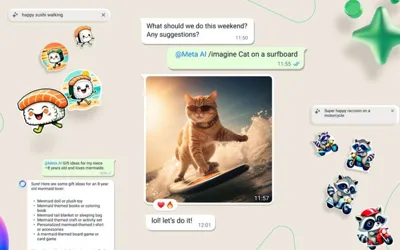
Meta AI is a new feature in Facebook, Instagram and WhatsApp that acts like a personal assistant, helping you with tasks and information within these apps. However, there's currently no option to completely disable Meta AI.

If you find Meta AI notifications distracting, you can mute them to stop receiving alerts. Here's how to mute Meta AI on each app:

Mute Meta AI on Facebook:

Open the Facebook app and tap the search bar at the top right.

Tap the Meta AI icon (it might look like a chat bubble symbol) to start a chat.

Tap the 'i' icon in the top right corner and choose 'Mute'.

Select how long you want to mute Meta AI for (options include 15 minutes, one hour, eight hours, 24 hours or until you unmute it).

Mute Meta AI on Instagram:

Open Instagram and tap the search bar at the bottom of the message icon at the top right.

Tap the Meta AI icon to start a chat.

Tap the 'i' icon in the top right corner and choose 'Mute Messages'.

Select how long you want to mute Meta AI (options include one hour, eight hours, 24 hours or until you unmute it).

Mute Meta AI on WhatsApp:

Open WhatsApp and go to the Chats tab.

Tap the Meta AI icon at the top of your chat list.

Tap the Meta AI profile picture at the top.

Choose 'Mute' and select how long you want to mute it for (options include eight hours, one week or always).

Do you need to mute Meta AI?

The good news is that Meta AI won't send you any uninvited messages. It will only network with you when you start a chat with it. So, muting isn't necessary unless you find its notices bothersome.

Some users might be worried about privacy with this new AI assistant in their Meta apps. Hopefully, Meta will announce a way to entirely restrict it in the future, like to how you can eliminate My AI on Snapchat. But for now, muting is the only way to silence Meta AI notices.
Recommended