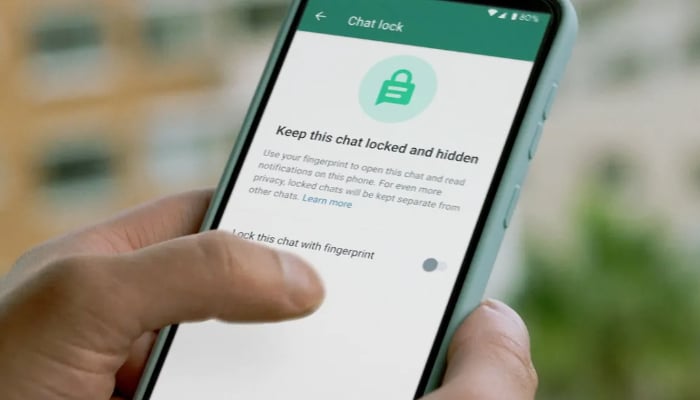
WhatsApp, a leading messaging platform with millions of users worldwide, prioritizes user privacy with features like Chat Lock. This feature adds an extra layer of protection to specific chats using passwords, fingerprints, or Face ID.
If you’re looking to unlock WhatsApp chats, here’s a simple guide for both Android and iOS users.
How to Unlock Chats on Android
- Open WhatsApp and scroll to the top of your chat list.
- Tap the “Locked Chats” folder.
- Authenticate using your fingerprint, PIN, or pattern.
- Select the chat you want to access.
- Inside the chat, tap the contact’s or group’s name.
- Go to “Chat Lock” and disable the toggle.
- The chat will now appear in the main chat list without requiring authentication.
How to Unlock Chats on iOS
- Launch WhatsApp and go to the “Locked Chats” section.
- Authenticate using Face ID, Touch ID, or your passcode.
- Select the desired chat to open it.
- Long-press the contact’s name to access chat settings.
- Tap “Unlock Chat” to disable the lock.
- The chat will return to the main chat list without restrictions.
Advantages of WhatsApp Chat Lock
- Enhanced Privacy: Keep sensitive conversations safe, especially on shared devices.
- Selective Locking: Lock only specific chats instead of the entire app.
- Hidden Notifications: Prevent unauthorized access by hiding notifications from locked chats.
- Flexible Security Options: Choose PIN, password, fingerprint, or Face ID for added convenience.
- Organized Folder: Locked chats are stored separately for easy access and privacy.
With WhatsApp Chat Lock, protecting your private conversations has never been easier.
[embedpost slug=”/iphone-17-series-expected-to-launch-with-120hz-display/”]