Skip to content

Tue, 21-Oct-2025

Watch Live

logo-black

Download App

Watch Live

Headlines:
Mandatory biometric verification announced for Hajj 2026 pilgrims
ICC releases official song for Men’s T20 World Cup 2026
Fans celebrate as Khawqan Shahnawaz and Sabina Syed marry in style
Emotional videos help child recover from 55-day coma
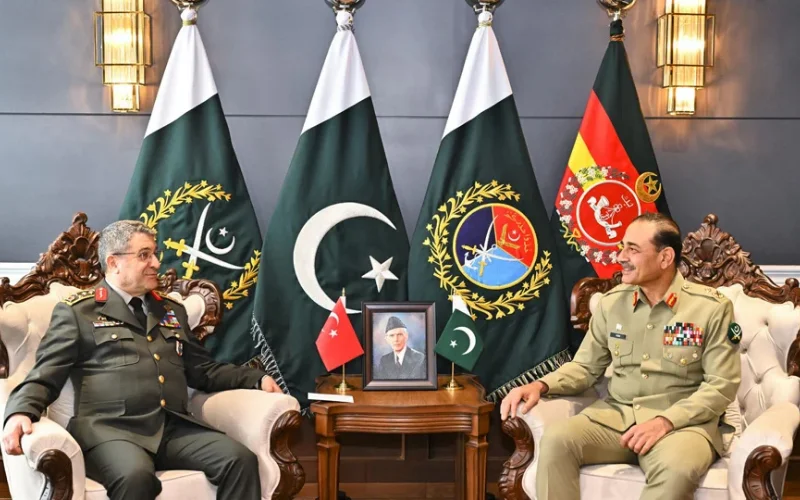
COAS, Turkish Chief discuss prevailing regional and security issues
ICC honors best performances in T20 World Cup history
Trauma to Triumph: woman assists in her own caesarean birth
Moscow witnesses heaviest snowfall in over 200 years
Gold prices record biggest drop in Pakistan’s history
Chinese AI pets ignite consumer frenzy with 1,600% sales growth
Mandatory biometric verification announced for Hajj 2026 pilgrims
ICC releases official song for Men’s T20 World Cup 2026
Fans celebrate as Khawqan Shahnawaz and Sabina Syed marry in style
Emotional videos help child recover from 55-day coma
COAS, Turkish Chief discuss prevailing regional and security issues
ICC honors best performances in T20 World Cup history
Trauma to Triumph: woman assists in her own caesarean birth
Moscow witnesses heaviest snowfall in over 200 years
Gold prices record biggest drop in Pakistan’s history
Chinese AI pets ignite consumer frenzy with 1,600% sales growth
  • Home
  • Latest
  • Pakistan
  • World
  • Sports
  • Entertainment
  • Business
  • Lifestyle
  • Technology
  • Videos
  • Urdu
  • Home
  • Latest
  • Pakistan
  • World
  • Sports
  • Entertainment
  • Business
  • Lifestyle
  • Technology
  • Videos
  • Urdu
Home » Latest News

How to create PayPal account in Pakistan?

  • October 23, 2020
PayPal account
PayPal account

PayPal is an American company that allows you to do online payment worldwide. It enables you to pay, send money, and to accept payments online.

However, it deducts a small amount of money as a fee for its services. But, this PayPal service is not enabled in Pakistan. Although you can create a PayPal account even living in Pakistan.

Here are some easy steps to create your PayPal account.

PayPal Sign Up

  • Open the PayPal website.
  • Click on Sign Up for free.
  • Click on the Personal Account or business depending on your needs and then click on the “Next”.
  • Enter your email address and create a password. Choose a strong password so that nobody else can access your PayPal account.
  • Enter a valid email address because you have to verify your account.
  • Now fill out all the information required to create a PayPal account.
  • You must have a valid address of any country where PayPal is operating because PayPal does not operate in Pakistan.
  • After filling in all the relevant information, you need to confirm your email address. If you don’t confirm your email address then you will not be able to receive payment.
  • You can confirm your email address by going into your mail.
  • Click on the “Yes, this is my email” button in the email message to confirm your email address.

Creating a Payoneer Account:

If you want to receive payments from an international client while being in Pakistan, then you will have to create a Payoneer account.

  • Open the Payoneer website.
  • To create a Payoneer account, you must have an email account if you don’t have then create your email Account.
  • After that Click on the “Sign Up Now” to Apply for Payoneer Account.
  • Now fill out all relevant information.
  • You need to enter your email address and choose a password for the account.
  • After that fill out contact details like your city name, zip code of your city.
  • Enter the mobile number and click on next.
  • Your account will be created and you just need to confirm your email address.

Guidelines to Apply for Payoneer card:

  • To apply for a Payoneer card, you must have a valid bank account.
  • You will be required to enter your IBAN (account number).
  • Now type user name and password.
  • Select a security question
  • Now enter your CNIC and click on the order

Activating your Payoneer Card

  • Login into your Payoneer account.
  • Enter your user name and password.
  • Click on “Login”.
  • Click on the “View your status and activate your card”.
  • Click on Activate.
  • Now click on Card Activation.
  • After that enter your 16 digit card number and choose 4 digits secret pin.
  • Now click on agree to the cookies policies.
  • Click on the “Activate”

Linking Payoneer Account with PayPal Account

  • Open the PayPal website.
  • Login into your PayPal account.
  • Now enter your email address and password
  • After signing in to your PayPal account, click on the “Link a bank” option on your Account Summary page to get started.
  • If your bank is listed then you just need to enter your online banking login information to automatically link your account.
  • If your bank is not listed then you need the account number and routing number.
  • To find the account number and routing number of the Payoneer account you need to login into the Payoneer account.
  • Activate the option of the US Payment Service.
  • Now click on the “Receive Money” option.
  • After clicking on US Payment Service, you will find Routing Number and as well USA Virtual Account No.
  • Now enter that Routing Number and USA Virtual Account No in your unverified PayPal account.
  • After that, you will receive two small deposits that will be sent to your Payoneer account by PayPal. You will be able to see those deposits after 2 to 3 working days.
  • After receiving deposits sent by PayPal and log in again into your PayPal account.
  • After signing in you need to put the same amount that you received on Payoneer account into your PayPal account
  • Your PayPal account will be verified automatically.

Latest News

Mandatory biometric

Mandatory biometric verification announced for Hajj 2026 pilgrims

3 minutes ago

ICC releases

ICC releases official song for Men’s T20 World Cup 2026

2 hours ago

Fans celebrate as Khawqan

Fans celebrate as Khawqan Shahnawaz and Sabina Syed marry in style

2 hours ago

ICC honors

ICC honors best performances in T20 World Cup history

5 hours ago

Trauma to Triumph

Trauma to Triumph: woman assists in her own caesarean birth

6 hours ago

Gold prices

Gold prices record biggest drop in Pakistan’s history

7 hours ago

Chinese AI pets ignite consumer frenzy with 1,600% sales growth

Chinese AI pets ignite consumer frenzy with 1,600% sales growth

7 hours ago

Carlos Alcaraz beats Zverev, reaches first Australian Open final

Carlos Alcaraz beats Zverev, reaches first Australian Open final

8 hours ago

Recommended

Mandatory biometric

Mandatory biometric verification announced for Hajj 2026 pilgrims

ICC releases

ICC releases official song for Men’s T20 World Cup 2026

Fans celebrate as Khawqan

Fans celebrate as Khawqan Shahnawaz and Sabina Syed marry in style

Emotional videos

Emotional videos help child recover from 55-day coma

COAS

COAS, Turkish Chief discuss prevailing regional and security issues

ICC honors

ICC honors best performances in T20 World Cup history

Trauma to Triumph

Trauma to Triumph: woman assists in her own caesarean birth

Moscow witnesses

Moscow witnesses heaviest snowfall in over 200 years

Gold prices

Gold prices record biggest drop in Pakistan’s history

Chinese AI pets ignite consumer frenzy with 1,600% sales growth

Chinese AI pets ignite consumer frenzy with 1,600% sales growth

Khloé Kardashian opens up about why she’s not dating right now

Khloe Kardashian opens up about why she’s not dating right now

First Bangladesh flight in 14 years touches down in Karachi

First Bangladesh flight in 14 years touches down in Karachi

logo-black
  • Health
  • Showbiz
  • Bollywood
  • Trending
  • Viral
  • Health
  • Showbiz
  • Bollywood
  • Trending
  • Viral
  • About Us
  • Contact Us
  • Advertise with Us
  • Urdu
  • Live
  • About Us
  • Contact Us
  • Advertise with Us
  • Urdu
  • Live
  • Branded Content
  • Privacy Policy
  • Terms of Service
  • Editorial Policy
  • Blog
  • Branded Content
  • Privacy Policy
  • Terms of Service
  • Editorial Policy
  • Blog
Whatsapp Facebook X-twitter Youtube Instagram Tiktok
google_play

Copyright © 2025 BOL Media Network. All rights reserved.

Menu

  • Home
  • Latest
  • Pakistan
  • World
  • Sports
  • Entertainment
  • Business
  • Lifestyle
  • Technology
  • Videos
  • Urdu
  • Home
  • Latest
  • Pakistan
  • World
  • Sports
  • Entertainment
  • Business
  • Lifestyle
  • Technology
  • Videos
  • Urdu

Latest

  • Latest News
  • Pakistan
  • World
  • Business
  • Sports
  • Entertainment
  • Health
  • Science & Tech
  • Trending
  • Weather
  • Latest News
  • Pakistan
  • World
  • Business
  • Sports
  • Entertainment
  • Health
  • Science & Tech
  • Trending
  • Weather

Entertainment

  • Bollywood
  • Celebrities
  • Hollywood
  • K-Pop
  • Movies
  • Music
  • Royal Family
  • Videos
  • Bollywood
  • Celebrities
  • Hollywood
  • K-Pop
  • Movies
  • Music
  • Royal Family
  • Videos

Lifestyle

  • Lifestyle
  • Beauty
  • Fashion
  • Food
  • Horoscope
  • Parenting
  • Relationship
  • Lifestyle
  • Beauty
  • Fashion
  • Food
  • Horoscope
  • Parenting
  • Relationship