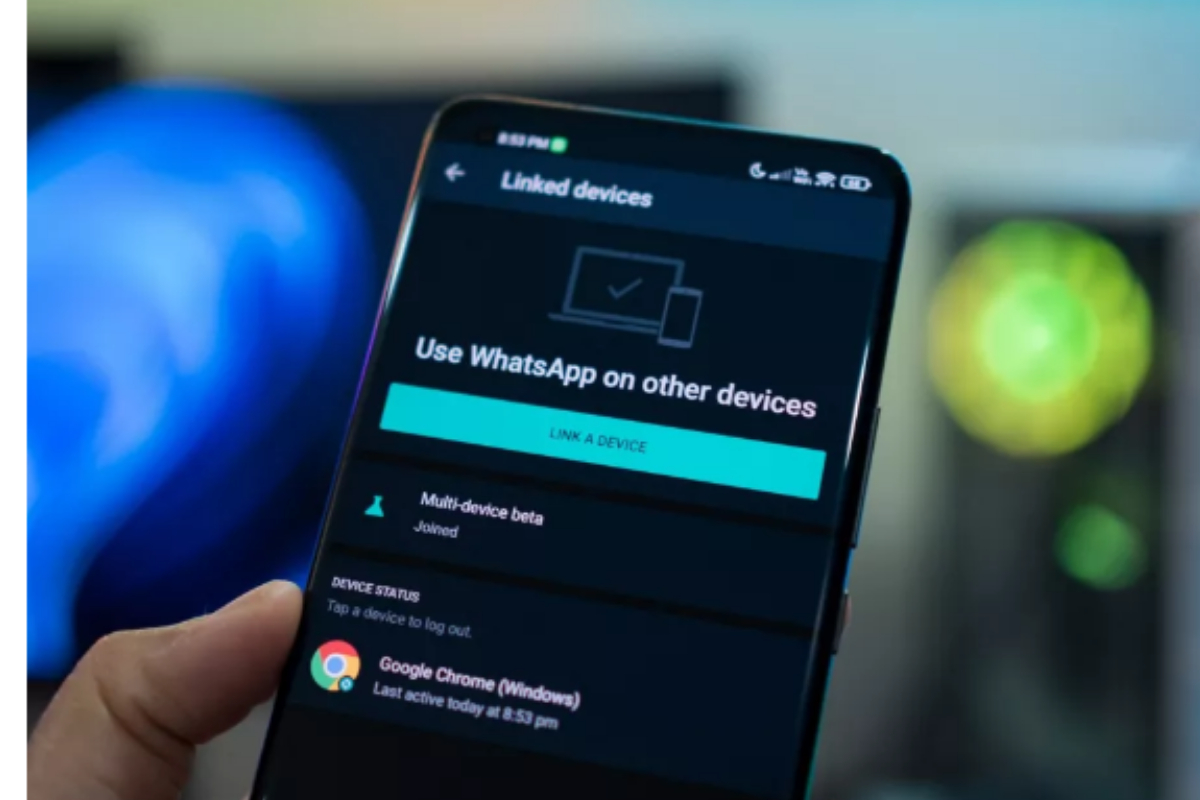
- WhatsApp beta lets some Android users link their accounts to a second phone or tablet.
- The feature, called Companion Mode, works by scanning a QR code on an Android device.
- This will let users use the same WhatsApp account on two devices.
In April of this year, we first heard about a new feature coming to WhatsApp that will let users link their accounts to a second phone or tablet. With the latest beta version of WhatsApp, some Android users can now use this feature, which is called “Companion mode.”
Companion Mode lets you link your WhatsApp account to an Android tablet by scanning a QR code. But you can’t link your WhatsApp account to a second phone at the moment.
Open WhatsApp and choose “Linked Devices” from the three dots in the top right corner of an Android phone or the settings gear icon on an iOS device. Scan the WhatsApp QR code, shown above, with your Android phone, and then tap “Link a device.”
Once your phone and Android tablet are set up, chats will sync between them, even if your phone doesn’t have an internet connection. When we tried the WhatsApp beta, it asked for our phone number before we could start. The QR code interface didn’t show up until the app was restarted by dragging it away from the Recents app overview. Once your phone and Android tablet are set up, chats will sync between them, even if your phone doesn’t have an internet connection. When we tried the WhatsApp beta, it asked for our phone number before we could start. The QR code interface didn’t show up until the app was restarted by dragging it away from the Recents app overview.
Companion mode is expected to work on more Android phones through WhatsApp. This will let users use the same WhatsApp account on two devices. But we don’t know when it will come out for sure.
[embedpost slug=”whatsapp-to-allow-tablet-pairing-as-secondary-devices-soon/”]