
Wednesday, September 23, 2026
Watch Live
UPDATED
FUEL PRICE
21-SEP-2026
PETROL
-1.70 PKR
Rs. 392.05/ltr
DIESEL
-3.12 PKR
Rs. 418.96/ltr
Headlines
Pakistan develops 'Gender Tracker' to tackle online harassment of women Bahawalpur teen plays 'Breaking Bad', arrested for poisoning father with AI help Trump’s Board of Peace recovery blueprint sets $2.45B six-month plan to rebuild Gaza Rock world in shock as Rose Tattoo frontman 'Angry Anderson' dies at 79 Massive unexploded 'WW2' bomb found near Falmouth Docks Punjab boards announce Intermediate Part-II results 2026 PM appoints Hamza Farrukh as Pakistan Climate Change Authority chair Pakistan Navy, Coast Guards foil smuggling bid in Pishukan Saudi Arabia marks 96th National Day, highlights close Pakistan-Saudi partnership Pindiz owner warns of PSL exit over Rizwan Trump meets Venezuela’s Delcy Rodriguez on UNGA sidelines Shehbaz meets Bill Gates, reaffirms push to eradicate polio ADB forecasts Pakistan growth at 3.7% for FY2027, warns of middle east risks Prime Minister Shehbaz and DPM Dar ramp up diplomacy at UN General Assembly US F-16 crashes near German air base after training exercise Pakistan foils Afghan infiltration, responds to border fire Pakistan develops 'Gender Tracker' to tackle online harassment of women Bahawalpur teen plays 'Breaking Bad', arrested for poisoning father with AI help Trump’s Board of Peace recovery blueprint sets $2.45B six-month plan to rebuild Gaza Rock world in shock as Rose Tattoo frontman 'Angry Anderson' dies at 79 Massive unexploded 'WW2' bomb found near Falmouth Docks Punjab boards announce Intermediate Part-II results 2026 PM appoints Hamza Farrukh as Pakistan Climate Change Authority chair Pakistan Navy, Coast Guards foil smuggling bid in Pishukan Saudi Arabia marks 96th National Day, highlights close Pakistan-Saudi partnership Pindiz owner warns of PSL exit over Rizwan Trump meets Venezuela’s Delcy Rodriguez on UNGA sidelines Shehbaz meets Bill Gates, reaffirms push to eradicate polio ADB forecasts Pakistan growth at 3.7% for FY2027, warns of middle east risks Prime Minister Shehbaz and DPM Dar ramp up diplomacy at UN General Assembly US F-16 crashes near German air base after training exercise Pakistan foils Afghan infiltration, responds to border fire

Palworld controller troubles? Here's How to fix!

Palworld controller troubles? Here's How to fix!

Web Desk January 27, 2024 Add Bol News as a trusted source
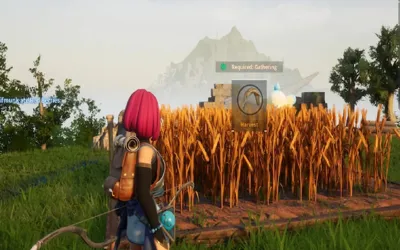
 Palworld is an extraordinary game that permits players to live harmoniously with magical creatures known as pals. Within the game, you have the option to reside alongside Pals, employ them for combat or agricultural purposes, trade them for financial gain, or even consume them.

The central gameplay revolves around surviving in a challenging environment, exploring with the assistance of mounted pals, and constructing structures utilizing their labor.

Additionally, you must exercise careful resource management, employ creativity in construction, engage in farming for sustenance, explore demanding dungeons, and confront ethical dilemmas regarding how you treat Pals.

Nevertheless, numerous Palworld players on Steam have voiced concerns about their gamepads or controllers not being accurately recognized within the game.

Highlights

How to Fix Controller Not Working in Palworld

Disable/Enable Steam Input

Steam Input might occasionally disrupt controller detection in games. To eliminate the possibility of a Steam Input conflict, you can attempt to disable and then re-enable the feature exclusively for Palworld:
  1. Open up the Steam client and log into your Steam account
  2. Go to your game library and right-click on “Palworld”
  3. Select Properties > Controller > Override for “Palworld”
  4. Select “Disable Steam Input”
Once you have disabled Steam Input, start Palworld and verify if your controller is now being detected correctly. If the problem persists, you can also experiment with enabling Steam Input again.

Launch Steam and Game as Administrator

In certain cases, running applications with administrative privileges can resolve permission-related problems hindering controller detection. Consider launching both Steam and Palworld itself with admin rights:
  1. Right-click the Steam desktop shortcut > Properties > Compatibility
  2. Check “Run this program as an administrator” > Apply > OK
  3. Right-click the Palworld desktop shortcut > Properties > Compatibility
  4. Check “Run this program as an administrator” > Apply > OK

Next, launch Steam first and then Palworld to check if your controller connects

Enable Controller-Specific Steam Inputs

It might be necessary to activate Steam Input support explicitly for your particular type of controller:

  1. In Steam, go to Settings > Controller > External Gamepad Settings
  2. If using a PS4/PS5 controller, check “Enable Steam Input for PS Controllers”
  3. If using an Xbox controller, check “Enable Steam Input for Xbox Controllers”
Or if you already have the relevant option enabled, try disabling it instead.

[embedpost slug="/roblox-monkey-tycoon-codes-for-january-2024/"]

Other Troubleshooting Methods

If the aforementioned solutions do not resolve the issue, consider applying these general troubleshooting tips as well:
  • Unplug and replug your controller, if wired
  • Unplug unused USB devices like wheels, extra controllers, etc.
  • Clear the Steam download cache (Steam > Settings > Downloads)
  • Enable Steam support for general controllers (Steam > Settings > Controller)
  • Launch Steam in Big Picture mode before opening the game
  • Update Xbox controller drivers via the Accessories app (for Xbox controllers)
  • If using a non-Steam game version, add Palworld as a Steam game
By experimenting with these different troubleshooting methods, you should eventually overcome any controller detection issues in Palworld.

Recommended